
Configure the SuperFlow app, connect the device and learn the main system functions.
Initial Wi-Fi Connection
Connect the SuperFlow device to the mobile app for the first time.
PDF – How to configure the communication system between the phone and the SuperFlow – English
PDF – Cómo configurar el sistema de comunicación entre el teléfono móvil y el SuperFlow – Spanish
VIDEO – Cómo configurar el sistema de comunicación entre el teléfono móvil y el SuperFlow – Spanish
Standard SuperFlow Operation
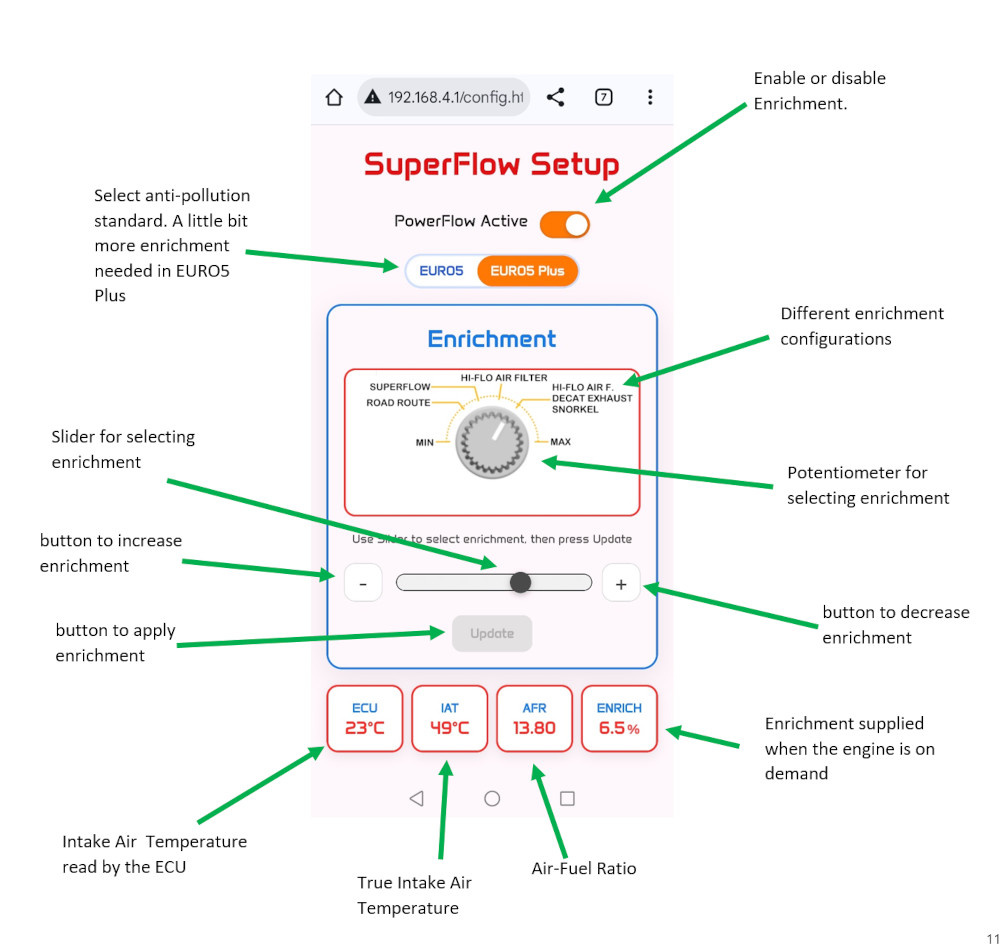
Configure enrichment levels, switch maps and understand normal SuperFlow operation.
VIDEO – This section explains how to adjust and fine-tune the system once installed, either for initial setup or later optimization, without affecting firmware configuration or updates. – English
VIDEO – Esta sección describe cómo ajustar el sistema una vez instalado, ya sea durante la puesta en marcha o posteriormente, sin afectar a la configuración del firmware ni a las actualizaciones. – Spanish
Integrated OBD2 Management
Learn how SuperFlow communicates with the motorcycle through the integrated OBD2 system.
VIDEO – Esta sección explica como utilizar el escáner OBD2 integrado y buscar y borrar errores DTC. – Spanish
Firmware Update
Keep your SuperFlow device updated with the latest firmware version.
VIDEO – This section explains the update process and how to keep your system up to date with the latest improvements. – English
VIDEO – Esta sección explica el proceso de actualización y cómo mantener el sistema al día con las últimas mejoras. – Spanish
SuperFlow Factory Reset
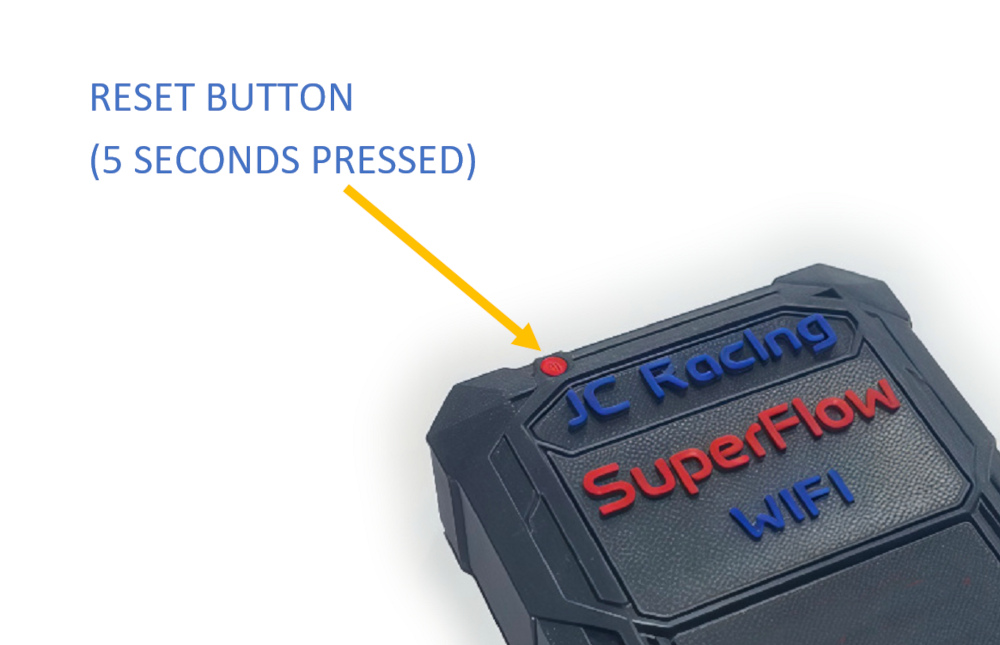
If you are unable to connect to either the SuperFlow Wi-Fi network or the Hotspot, it is recommended to restart the setup process by performing a factory reset.
Press and hold the round red button located in the upper-left corner of the SuperFlow unit for approximately 5 seconds. Keep holding the button until you hear the confirmation tones and see the LED start flashing. This indicates that the factory reset has been completed successfully.
After the reset, SuperFlow will return to its original factory settings, exactly as it was when you first received it.
Once the reset is complete, repeat the Wi-Fi connection procedure described in the first three pages of the Wifi Setup PDF. Do not configure the Hotspot during your first week of use.
For the best user experience, we recommend using SuperFlow with its default Wi-Fi connection and skipping the Hotspot configuration entirely during the first days of use. Most users do not need the Hotspot feature for normal operation.
Optional Tools
SuperFlow Launcher (Android)
Optional Android application that simplifies access to the SuperFlow interface.
 English
  Spanish