
Installation video, PDF guide and setup information for the SuperFlow system on the Voge 300 Rally.
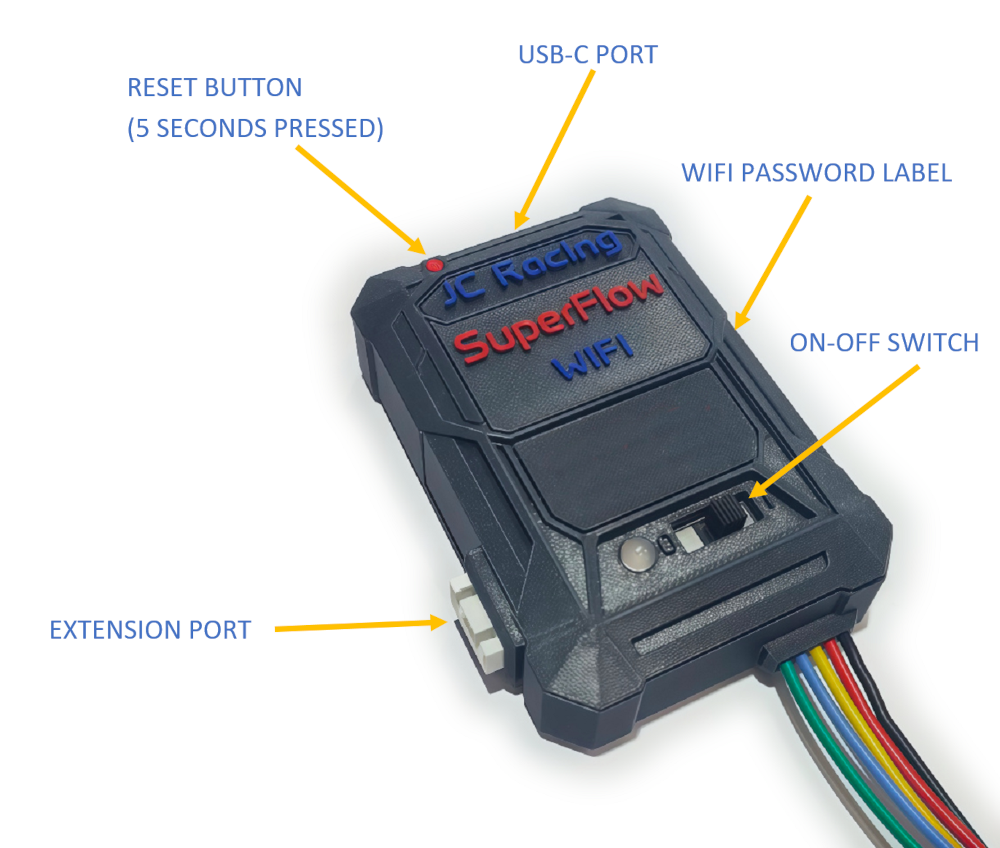
Installation video
PDF – Supplement for Voge 300 Rally Euro 5 Plus (2025), which uses CAN instead of K-Line.
Not required for non-Euro 5 Plus models. English
PDF – Suplemento para Voge 300 Rally Euro 5 Plus (2025), que utiliza CAN en lugar de K-Line. No es necesario para modelos que no sean Euro 5 Plus. Español
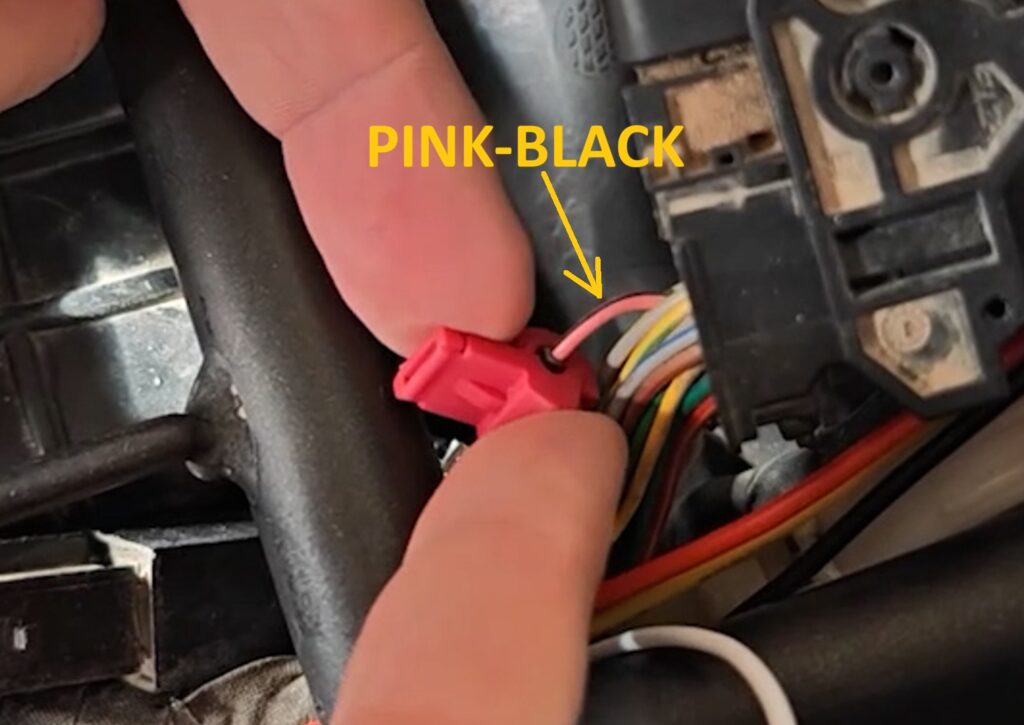
ECU cable Location
Locate the correct ECU wire for the SuperFlow yellow wire connection.
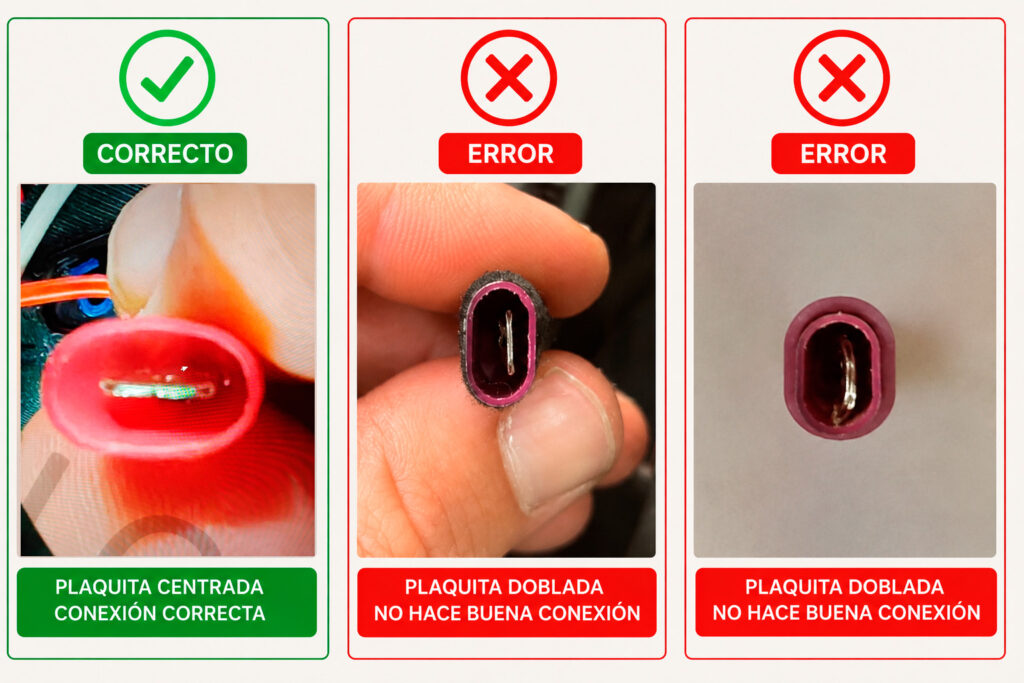
Correct splice connector installation
First of all, ensure the metal plate is properly centered.
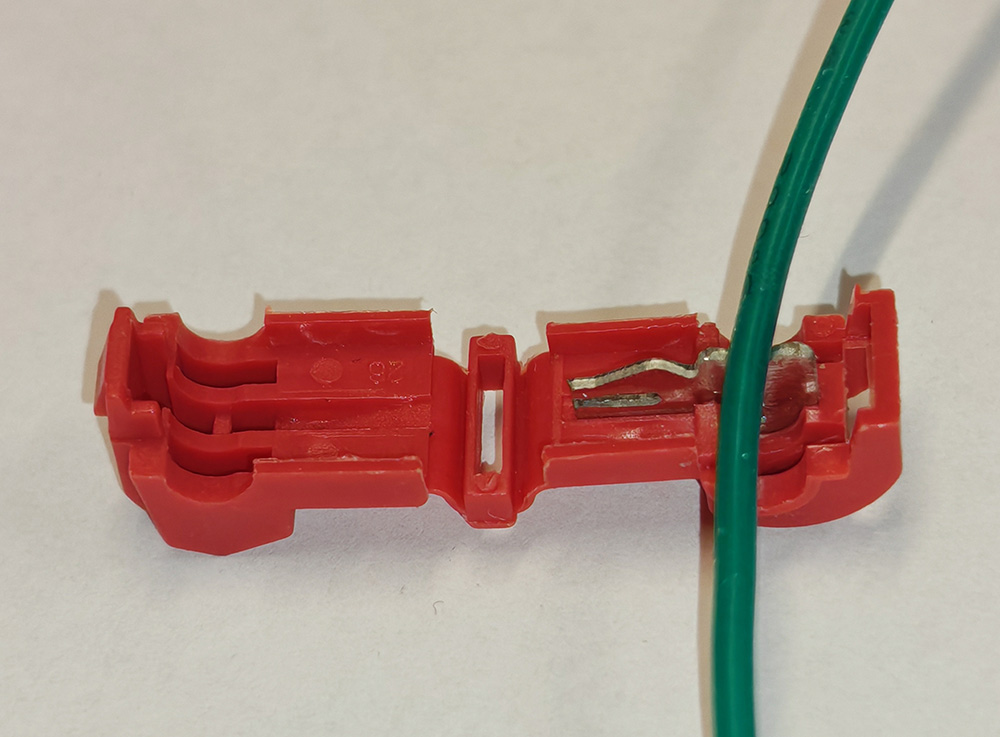
Correctly align the wire inside the splice connector metal slot
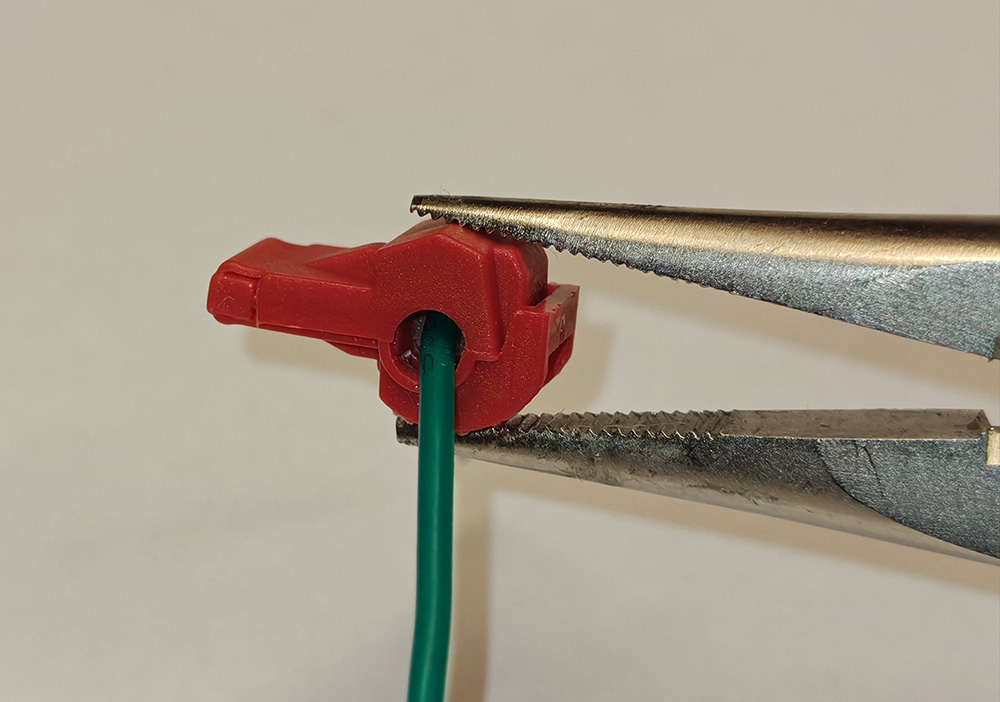
Securely close the splice connector using pliers
Final System Check
Verify the correct SuperFlow startup sequence and blue blinking status.
If your SuperFlow reaches blue blinking status and the startup sequence completes correctly, continue to App Setup.
App Setup
Physical installation and system verification completed successfully.
Continue with the SuperFlow app setup.
Startup sequence not completed?
If the LED keeps blinking red or green after startup, verify the following points before continuing to App Setup.
If the LED blinks red
A red blinking LED indicates that SuperFlow cannot correctly detect the ECU signal.
Common causes
Incorrect ECU wire selection
The yellow SuperFlow wire may be connected to the wrong ECU wire.
Please review the “ECU Cable Location” section above and make sure the splice connector is attached to the correct ECU wire.
Incorrect splice connector installation
Verify the splice connector is fully closed and correctly positioned.
Bent yellow wire terminal
Ensure the metal terminal of the yellow wire connector is straight and fully inserted.
Engine stop switch in OFF position
Verify the motorcycle engine switch is in the ON/RUN position.
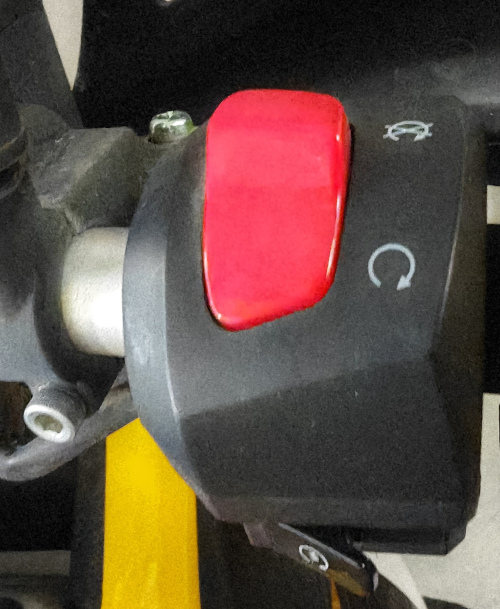
Recheck all connections carefully before testing again.
If the LED blinks green
A continuous green blinking LED means SuperFlow cannot establish correct OBD2 communication.
Standard SuperFlow enrichment (classic map) will still operate normally, but advanced maps and OBD2 functions will not be available.
Common causes
Incorrect OBD2 splice connector installation
Verify the OBD2 splice connectors are fully closed and correctly installed on the motorcycle OBD2 wires.
Also verify that the metal plates inside the splice connectors are centered and not bent.
Restart the motorcycle ignition
Turn the motorcycle ignition OFF completely and then ON again.
 English
  Spanish